



Data Centre Decommissioning Checklist for Malaysian Businesses
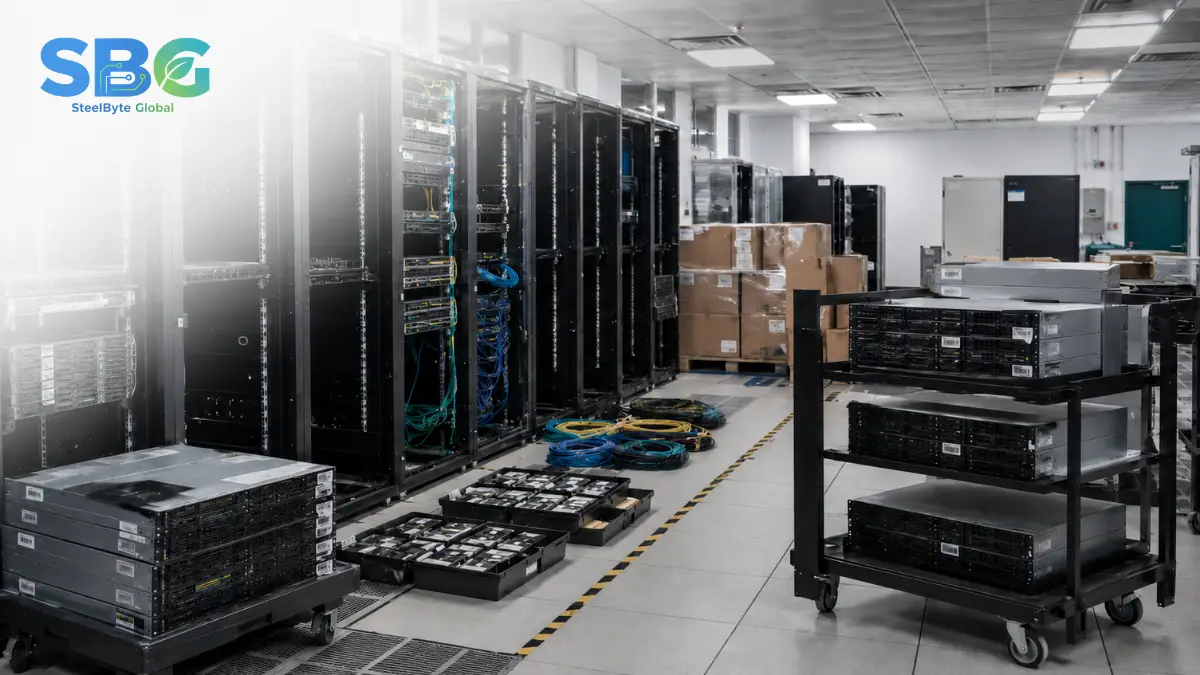
Data centre decommissioning is the controlled shutdown, removal and final disposition of servers, storage systems, racks, network equipment and supporting infrastructure.
A successful project must protect business continuity, sensitive data and asset value. Removing equipment before dependencies, ownership and data requirements are confirmed can create service outages, missing assets, security risks and unnecessary financial loss.
SteelByte’s existing service scope covers server and rack deinstallation, network infrastructure removal, data destruction, IT asset disposition, logistics and final site clearance.
1. Confirm the Project Scope
Begin by defining exactly what is being decommissioned.
The scope should identify:
- Data centre, server room or rack location
- Number of racks and devices
- Servers, storage and network equipment involved
- Cabling and supporting infrastructure
- Equipment ownership
- Lease or colocation requirements
- Final site-clearance expectations
- Target completion date
Assign one project owner who can coordinate IT, facilities, security, finance, procurement and external service providers.
2. Map Systems and Dependencies
A device should not be powered down simply because it appears inactive.
Before shutdown, confirm:
- Applications hosted on each server
- Network dependencies
- Storage connections
- Backup requirements
- Virtual machines and cloud links
- Business owners
- Maintenance and vendor contracts
- Required retention periods
Dependencies should be validated by both technical teams and business owners. This reduces the risk of disconnecting a system that is still supporting an application, backup process or compliance requirement.
3. Build a Complete Asset Inventory
Every asset should be recorded before removal begins.
Capture:
- Asset type
- Manufacturer and model
- Serial number
- Internal asset tag
- Rack and unit location
- Storage media present
- Equipment condition
- Assigned owner
- Intended final pathway
Photographs can support the initial inventory, particularly for large or complex installations.
Asset tagging should happen before equipment is dismantled. Once servers and components are removed from their original racks, identification becomes more difficult.
4. Approve the Shutdown Plan
The shutdown sequence should be documented and approved.
The plan may include:
- Final backup confirmation
- Application migration
- User or stakeholder notification
- Change-window approval
- Network isolation
- Controlled system shutdown
- Power disconnection
- Removal authorisation
The plan should also identify what happens when an asset is missing, damaged, inaccessible or different from the inventory.
5. Separate Data-Bearing Devices
5. Separate Data-Bearing Devices
Servers, storage arrays and network equipment may contain more data-bearing components than expected.
Examples include:
- HDDs
- SSDs
- NVMe drives
- Backup tapes
- Removable media
- Embedded flash storage
- RAID controllers
- Network appliances
- Security devices
Each data-bearing device should be assigned an approved sanitisation or destruction pathway. The selected method should consider the media type, sensitivity of the information and whether reuse is planned.
NIST SP 800-88 Rev. 2 recommends establishing a structured media sanitisation programme that includes method selection, verification, validation and documentation.
6. Plan Safe Deinstallation
Deinstallation should be sequenced to protect people, equipment and the facility.
The team should review:
- Rack stability
- Equipment weight
- Power isolation
- Cable labelling
- Access routes
- Lift and handling requirements
- Loading-area availability
- Site-security procedures
- Fire and safety requirements
Removing heavy servers without the correct handling plan can damage equipment, racks, flooring or surrounding infrastructure.
Cables and network components should be labelled before removal when the client requires records, reuse or partial retention.
6. Plan Safe Deinstallation
Deinstallation should be sequenced to protect people, equipment and the facility.
The team should review:
- Rack stability
- Equipment weight
- Power isolation
- Cable labelling
- Access routes
- Lift and handling requirements
- Loading-area availability
- Site-security procedures
- Fire and safety requirements
Removing heavy servers without the correct handling plan can damage equipment, racks, flooring or surrounding infrastructure.
Cables and network components should be labelled before removal when the client requires records, reuse or partial retention.
7. Maintain Asset Control During Removal
Asset visibility should continue from the rack to the final destination.
A controlled handover may include:
- Device scanning
- Serial-number verification
- Collection records
- Sealed containers or controlled pallets
- Vehicle details
- Handover signatures
- Exception records
- Receiving confirmation
Devices containing unsanitised data should not be mixed casually with general scrap or untracked equipment.
8. Decide the Final Pathway for Each Asset
Not every decommissioned asset needs to be destroyed.
Assets can be assessed for:
Redeployment
Equipment that still meets operational requirements may be reused within another branch, department or environment.
Refurbishment
Functional equipment may be cleaned, repaired, upgraded and prepared for continued use.
Resale or Remarketing
Marketable servers, storage systems, components and networking equipment may retain residual value.
Recycling
Equipment that is obsolete, damaged or unsuitable for reuse can follow a responsible recycling pathway.
Physical Destruction
Storage media that cannot be safely sanitised or must not be reused can be physically destroyed according to the approved security requirement.
9. Complete Site Clearance
Before closing the project, inspect the decommissioned area.
Confirm:
- All listed equipment has been removed
- Retained equipment remains protected
- Power and network connections are safe
- Racks or cabling have been removed where required
- Packaging and project waste are cleared
- Access cards or permissions are closed
- The facility meets the agreed handover condition
Use photographs and a signed site-completion record to reduce future disagreements over the project scope.
10. Prepare the Final Report
The final report should connect the original inventory to the final outcome of every asset.
Useful project records include:
- Initial asset register
- Final asset reconciliation
- Collection and transport records
- Data sanitisation or destruction records
- Exception report
- Reuse, resale or recycling allocation
- Site-completion photographs
- Final handover acknowledgement
Data Centre Decommissioning Risk Table
| Risk | Recommended Control |
|---|---|
| Critical system shut down too early | Validate dependencies and obtain business-owner approval. |
| Storage device leaves the site untracked | Record serial numbers and maintain controlled handover. |
| Reusable equipment is unnecessarily destroyed | Assess condition and recovery potential before final disposition. |
| Equipment is damaged during removal | Plan rack sequence, lifting and transport requirements. |
| Project cannot be audited later | Maintain inventory, processing and completion records. |
Plan the Entire Project, Not Just the Removal
A proper data centre decommissioning project should leave the organisation with three clear outcomes:
- Systems were retired without avoidable disruption.
- Data-bearing devices followed an approved security pathway.
- Every asset has a recorded final status.
SteelByte Global supports data centre and server-room decommissioning projects across Malaysia, covering planning, equipment removal, data handling, IT asset disposition, logistics and final reporting.
When Degaussing May Be Considered
Degaussing may be suitable when:
- The device uses magnetic storage.
- The media will not be reused.
- A large quantity of compatible magnetic media must be processed.
- The correct degaussing equipment is available.
- The organisation has a process for identifying and recording each asset.
It should not be selected based only on the label “hard drive”. The storage technology must be confirmed first.
What Is Physical Shredding?
Physical shredding breaks a storage device into smaller fragments so that recovering data becomes infeasible.
It is commonly considered for:
- Damaged or non-functional drives
- Storage media that cannot be reliably sanitised
- End-of-life devices with no reuse value
- High-risk information
- Situations where an organisation requires visible physical destruction
Shredding provides a clear final outcome, but it also eliminates the possibility of refurbishment, resale or redeployment. It should not automatically be used for every device when verified sanitisation could safely preserve useful equipment.
Frequently Asked Questions
Data centre decommissioning can include system shutdown, asset inventory, server and rack removal, network dismantling, data sanitisation, physical destruction, IT asset recovery, transportation, recycling, site clearance and final reporting.
The timeline depends on the number of assets, system dependencies, security requirements, access restrictions, removal scope and whether equipment must be sanitised, refurbished, resold or recycled.
Yes. Servers and components may retain value depending on their age, specifications, condition, market demand and data-security requirements. They should be assessed before unnecessary destruction or recycling.
Each drive should be identified and assigned an approved sanitisation or destruction method. The outcome should be verified and connected to the drive’s serial number or asset record.