





Data Wiping, Degaussing or Shredding: Which Method Should Your Business Use?
Deleting files or formatting a drive is not the same as securely removing business data. Organisations retiring laptops, servers, hard drives and storage systems need a method that matches the device, the sensitivity of the information and what will happen to the equipment afterwards.
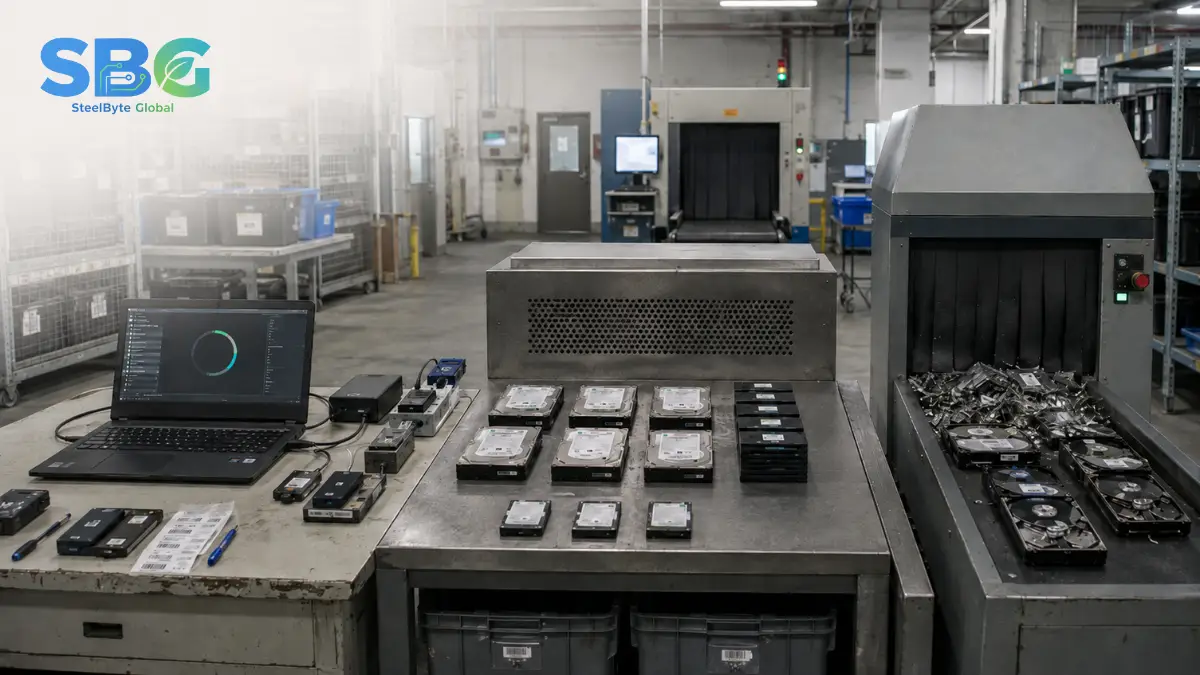
The three common approaches are data wiping, degaussing and physical destruction. Data wiping can preserve the equipment for reuse, degaussing targets suitable magnetic media, while shredding physically destroys the storage device. There is no single method that is suitable for every asset.
NIST SP 800-88 Rev. 2 describes media sanitisation as making access to target data infeasible for a defined level of effort. It organises sanitisation around the outcomes of clear, purge and destroy, with the appropriate approach depending on the media and information involved.
Quick Comparison of Data Destruction Methods
| Method | Best Suited For | Can the Device Be Reused? | Main Consideration |
|---|---|---|---|
| Data Wiping | Functional laptops, desktops, servers, HDDs and supported SSDs | Usually Yes | The process must match the storage technology and be verified |
| Degaussing | Suitable magnetic hard drives and magnetic tapes | Usually No | Does not work for non-magnetic flash storage such as SSDs |
| Physical Shredding | Damaged, obsolete or highly sensitive storage devices | No | Completely removes future reuse and recovery value |
What Is Data Wiping?
Data wiping uses software or device-supported commands to sanitise information stored on a data-bearing device. The objective is to prevent the previous information from being recovered while keeping the hardware functional.
This is often the preferred approach when laptops, desktops or servers are still suitable for refurbishment, resale or internal redeployment.
However, the term “data wiping” covers several different techniques. A simple file deletion, quick format or operating-system reset may not address all areas of a storage device. The selected process should be appropriate for the media type and followed by verification.
When Data Wiping Makes Sense
Data wiping may be appropriate when:
- The storage device is functioning properly.
- The equipment has refurbishment or resale value.
- The organisation wants to redeploy the device internally.
- The sanitisation process can be verified.
- The business needs individual records for each processed device.
For SSDs and other flash-based storage, the technique should account for the device’s internal storage management. A generic overwrite may not always reach every physical storage location, which is why media-specific commands and recognised sanitisation guidance matter.
What Is Degaussing?
Degaussing exposes magnetic storage media to a sufficiently strong magnetic field to disrupt the recorded data.
It may be used for appropriate magnetic hard drives or tapes, particularly when reuse is not required. The equipment and magnetic strength must be suitable for the media being processed.
Degaussing should not be used for SSDs, USB flash drives or other non-magnetic flash storage. NIST specifically states that degaussing is unsuitable for non-magnetic storage such as SSDs and may also be ineffective when equipment does not match the media’s magnetic properties.
When Degaussing May Be Considered
Degaussing may be suitable when:
- The device uses magnetic storage.
- The media will not be reused.
- A large quantity of compatible magnetic media must be processed.
- The correct degaussing equipment is available.
- The organisation has a process for identifying and recording each asset.
It should not be selected based only on the label “hard drive”. The storage technology must be confirmed first.
What Is Physical Shredding?
Physical shredding breaks a storage device into smaller fragments so that recovering data becomes infeasible.
It is commonly considered for:
- Damaged or non-functional drives
- Storage media that cannot be reliably sanitised
- End-of-life devices with no reuse value
- High-risk information
- Situations where an organisation requires visible physical destruction
Shredding provides a clear final outcome, but it also eliminates the possibility of refurbishment, resale or redeployment. It should not automatically be used for every device when verified sanitisation could safely preserve useful equipment.
How Should a Business Choose the Right Method?
1. Storage Technology
2. Data Sensitivity
3. Asset Condition
4. Reuse and Recovery Potential
5. Verification and Audit Requirements
What Documentation Should Be Provided?
A data destruction record should clearly connect the processed device to the method and outcome.
Useful details include:
- Manufacturer and model
- Serial number
- Internal asset number
- Storage media type
- Sanitisation method
- Technique or tool used
- Verification result
- Processing date
- Final device status
NIST SP 800-88 Rev. 2 includes a sample certificate of sanitisation containing fields such as media type, model, serial number, sanitisation method, tool used and verification status.
Common Data Destruction Mistakes
Businesses should avoid:
- Treating file deletion as secure sanitisation
- Using the same method for HDDs and SSDs
- Degaussing flash-based storage
- Sending untracked devices outside the premises
- Destroying reusable assets without first assessing their value
- Accepting a general completion letter without device-level details
- Failing to investigate drives that could not be processed successfully
Protect Data Without Wasting Asset Value
The right data destruction method should protect information while supporting the organisation’s operational and asset-recovery objectives.
SteelByte Global helps organisations assess data-bearing devices, select an appropriate processing pathway and maintain visibility throughout the project. Suitable equipment may be securely sanitised for refurbishment or reuse, while devices that cannot be safely recovered can follow a controlled destruction pathway.
Frequently Asked Questions
No. Formatting generally changes how the system accesses information but may not securely sanitise every storage location. Businesses should use a media-appropriate sanitisation method with verification before equipment is reused, sold or transferred.
No. SSDs use non-magnetic flash storage, so degaussing does not provide an appropriate sanitisation outcome. SSDs require supported logical sanitisation techniques or controlled physical destruction where secure sanitisation cannot be confirmed.
Yes, provided the storage media has been processed using an appropriate method and the result has been verified. The laptop can then be tested, refurbished and redeployed or resold according to the organisation’s asset policy.
Not automatically. Shredding creates a final physical outcome, but verified sanitisation may provide suitable protection while preserving the equipment’s value. The correct choice depends on the device, data sensitivity, condition and organisational policy.